
| Advanced Settings | Example URL | Help |
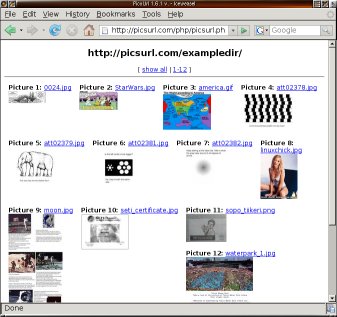
| What is picsurl? | Picsurl is dynamical webpage generator, which was made to display
pictures from given address in a html-page. The page is
generated dynamically, i.e. on the fly.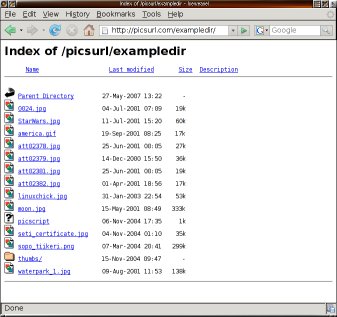

 |
| Why picsurl is better than site XXX? | Top 5 reasons (in order of importance):
|
| How does it work? | Picsurl needs only URL, webpage address, that is browsable. It searches all links from the page that contains pictures and links them into one page. |
| How can I get all pictures from a picsurl-page with full resolution? | You can download all full size pictures from any page by adding "&showall=1¬humbs=1" in the end of the page address, e.g. like this. Then just take "save as" with your browser and the browser saves all the pictures (and the picsurl page) to the directory you chose. If you have tens of pictures you might want to press stop before all of the pictures have been loaded to the web page in order not to jam your browser. When taking "save as" the browser will in any case download the full pictures (not just save the ones already downloaded for display). No separate zip file etc. needed for full download. |
| How to use thumbnails? | The picsurl searches for "thumbs"-folder, if it is found, then it links all the images found into thumbs directory. The images in thumbs directory have to be named identically with the original pictures. |
| How to generate thumbnails? |
|
| What means "make shortcut public"? | It will be listed on the example page (latest and most popular public shortcuts). |
| Can I password protect the pictures? |
Yes, at least if you use Apache web server. Add ".htaccess" file like this to the picture directory:
AuthName "Log in required"
AuthType Basic
AuthUserFile /home/users/username/path/.htpasswd
Options +Indexes
<Files *.JPG>
  Allow from All
  Satisfy Any
</Files>
require valid-user
Only replace /home/users/username/path/.htpasswd with the .htpasswd file-path that you use and then generate username and password like this: htpasswd -c /home/users/username/path/.htpasswd username Then create a new page using picsurl.com like you normally would. The page you created works with other browsers except with Chrome. |
| Can I add description in the start of the page? |
Yes, add text file named description.txt in the same directory where your
pictures are. Then write the description you want inside <description></description> tags.
Here is a simple example of such description.txt. |
| Can I refer to a certain picture in a page? |
Yes, use the picture name as achor tag. For example
https://picsurl.com/?id=headstand#Mexico-Teotihuacan.
|
| Can I define the picture sizes in advance? |
Yes, this is a good idea when you have lots of pictures and you want to use picture name tags, e.g.
headstand#Mexico-Teotihuacan.
To do this you need to add file called "picsurl_image_sizes.txt" in your picture directory. The file
needs to list picture names and sizes inside <picsurl_image_sizes></picsurl_image_sizes> tags, e.g.
Andorra-Andorra_la_Vella.JPG: 463x400. Please note that these need to be thumbnail picture sizes in case you are
using thumbs directory. Here is a simple example of such
picsurl_image_sizes.txt file. You
can generate the file e.g. with this bash script (uses exiftool):
picsurl_image_sizes.sh |
PicsURL 1.6v (w3c valid) 2002-2026, (C) picsurl.com.